Manage SMS Route
Block or unblock specific country prefixes to control where your SMS account can send messages.
What is SMS Route Management?
The Manage SMS Route feature allows you to control which mobile prefixes and countries your iSMS account is allowed to send SMS to. This is useful for businesses that only send to specific countries and want to prevent accidental sends to unintended destinations.
How to Access Route Management
Log in to your iSMS member account. Go to Profile → Manage SMS Route.
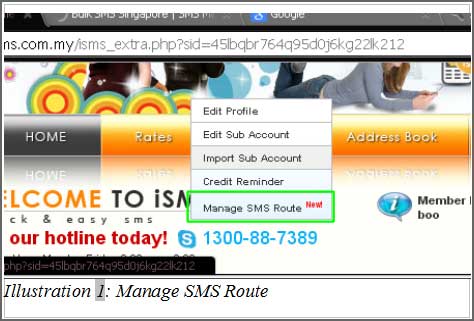
Viewing Available Routes
A list of all available country and network prefixes will appear. Each prefix can be individually blocked or unblocked.
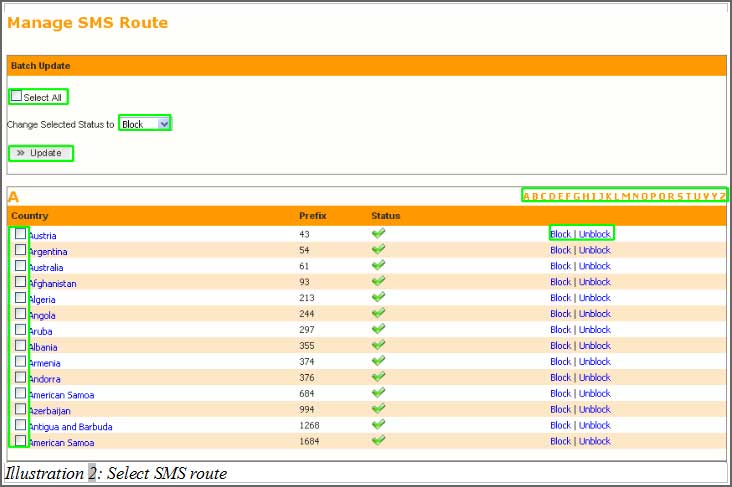
Blocking or Unblocking Prefixes
Select the prefixes you want to modify — tick individual rows or use Select All to select all. Use the alphabet sidebar to quickly find countries by name (e.g. click M for Malaysia). Choose Block or Unblock from the status option, then click Update.
