Monthly SMS Report
A full monthly breakdown of your SMS usage — volume, credits, delivery, encoding, and channel.
What is the Monthly SMS Report?
The Monthly SMS Report gives you a full overview of your SMS activity for any selected month — total messages sent, credits charged, delivery success rate, encoding type (ASCII or Unicode), and whether messages were sent via the web portal or API.
How to Access the Monthly Report
Log in to your iSMS member account and go to Reports → SMS Monthly Report.
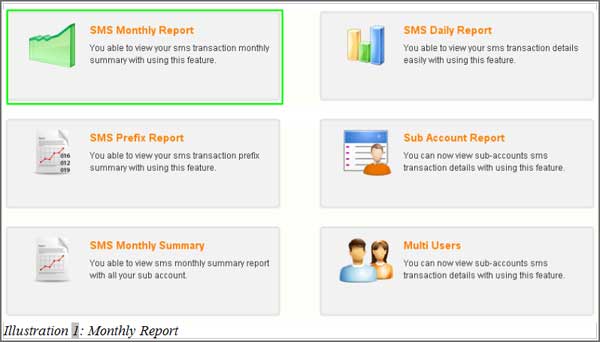
Reading the Monthly Report
After opening the report, you will see a monthly summary chart showing your SMS statistics. The report displays the months in which your account was active — for example, if your account started in March, the report will show from March to the current month.
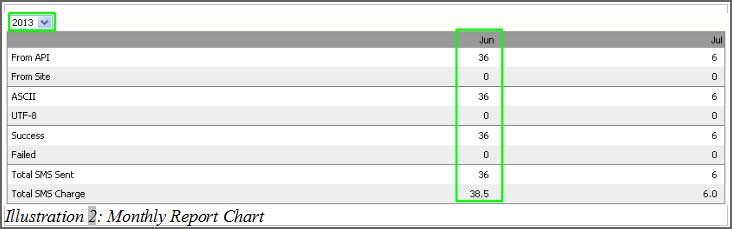
What the Report Shows
- Total SMS sent for each month
- Total credits charged
- Successfully delivered count
- Breakdown by encoding: UTF-8 (Unicode) vs ASCII
- Breakdown by channel: sent via API vs sent from the web portal
Use the year selector above the chart to switch between calendar years and review historical usage.
📞 Contact iSMS Support
Email: sales@mobiweb.com.my (include your username) | Toll Free: +6016 450 2380 | KL: +6016 450 2380 | Penang: +604 642 0621