Chapter 34 · Part 4
WhatsApp Conversations
A live two-way inbox for WhatsApp. When a customer messages you, reply in real time — with text, a file, or a template — right inside iSMS. This feature is in BETA.
Opening the inbox
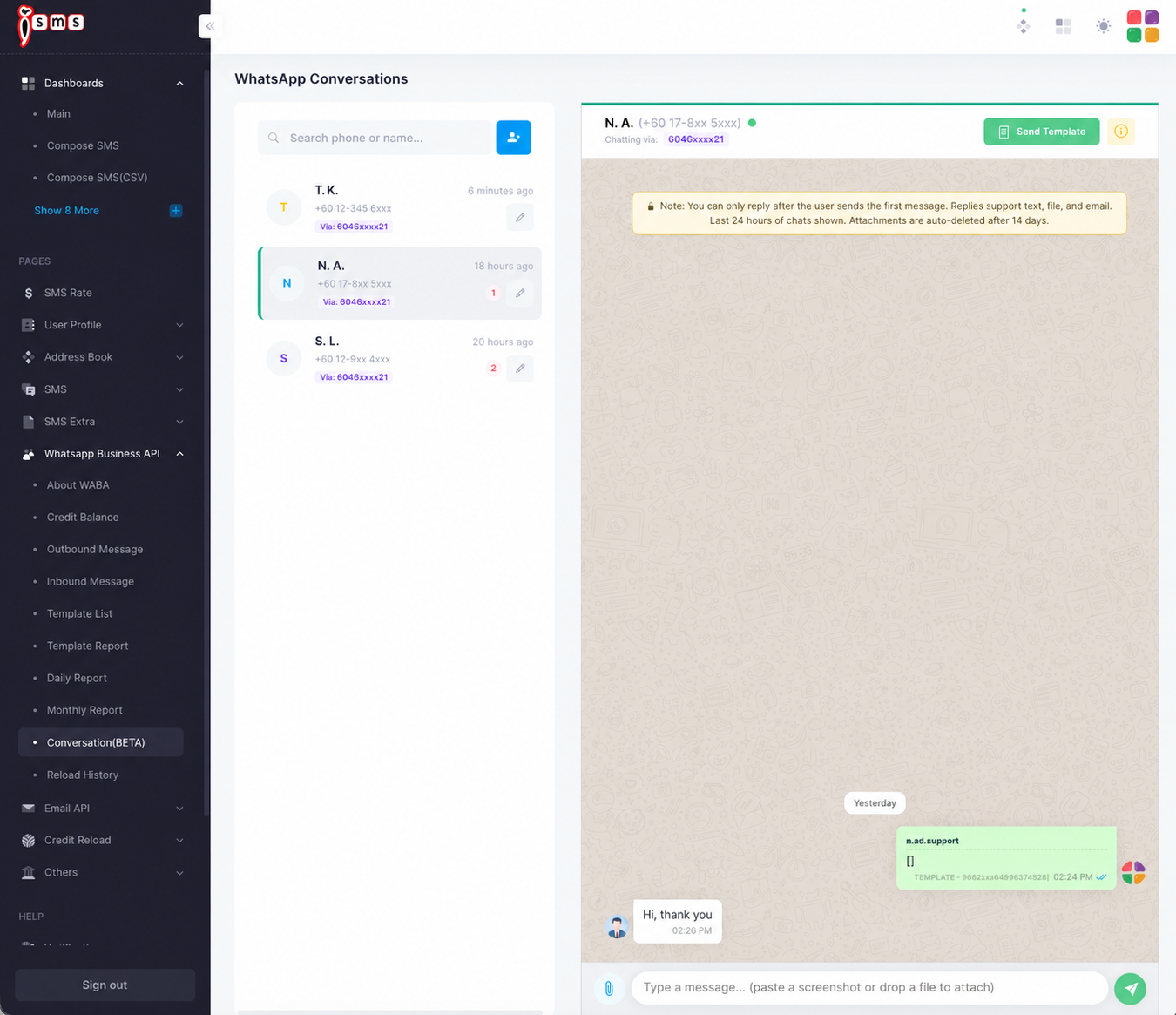
Go to WhatsApp Business API → Conversation (BETA). The left panel lists your conversations; click one to open the chat on the right.
- Conversation listNewest first, with an unread count and the business number each chat came in through.
- Chat threadThe selected conversation. Reply with text, a file, or email; or click Send Template to send an approved template into the chat.
- SearchFind a conversation by phone number or name.
How the 24-hour window works
The service window
Customer messages
They send the first message
24h window opens
The clock starts
Reply freely
Text, file, or template
Window closes
Send a template to reopen
Free-form replies are only possible while the window is open. After 24 hours of silence, you need an approved template to start a new conversation.
The 24-hour rule: you can only reply after the customer sends the first message, and only the last 24 hours of chats are shown. This is WhatsApp’s free-form service window — once it closes, you’ll need a template to re-open contact.
Using WhatsApp AI Reply? The AI’s replies appear in this inbox too. When a customer asks for a person, the AI stops and your team continues here — and when you reply to a customer, the AI pauses for that customer so it never talks over you. See WhatsApp AI Reply — Overview & Settings.
You can paste a screenshot or drag a file straight into the message box. Note that attachments are auto-deleted after 14 days, so save anything important.
Need help?
Our team is happy to assist with anything in this guide. Contact us →