Chapter 03 · Part 1
iSMS Main Member Page
After you log in, the Main Member Page is your home dashboard. It shows your SMS credit balance and expiry, your sending statistics, and — if enabled — a full WhatsApp Business API panel. Here’s what everything means.
Your dashboard at a glance
When you log in, the dashboard opens automatically. The menu on the left links to everything — Compose SMS, Address Book, SMS reports, WhatsApp Business API, Credit Reload, and more.
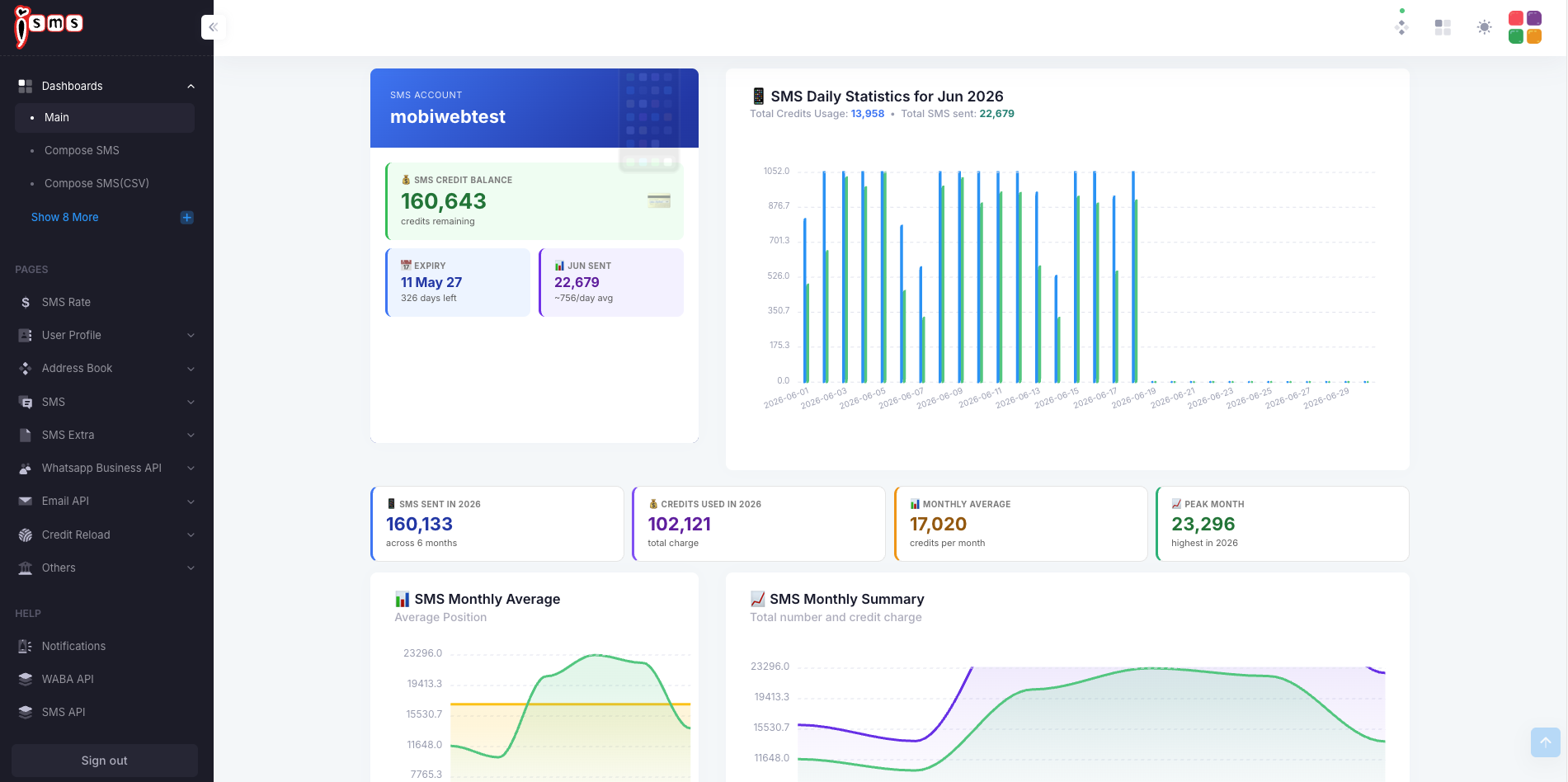
What’s on your dashboard
SMS Credit Balance
Your remaining SMS credits. Each SMS you send is deducted from this balance.
Credits Expiry
The date your current credits expire, plus how many days you have left.
This Month’s Sent
How many SMS you’ve sent this month, with a rough daily average.
Usage Statistics
Daily and monthly charts of SMS sent and credits used, including your peak month.
Top up your SMS credits
Running low? Click Top Up (or open Credit Reload from the menu) to choose a credit package and pay. Your new credits are added to your balance straight away.
Extend your credit validity
To extend the validity of credits you already have, click Extend. This opens the iSMS contact page where you can send an extension request to our team.
How SMS credits work
- 1
Purchase
Buy an SMS credit package
- 2
Use
Send SMS through the year
- 3
1-year validity
Credits expire 12 months after purchase
- 4
Extend
Request an extension before expiry
WhatsApp Business API (WABA) dashboard
If your account has WhatsApp Business API enabled, scroll down to the WhatsApp Business API panel for a separate dashboard covering your WhatsApp messaging.
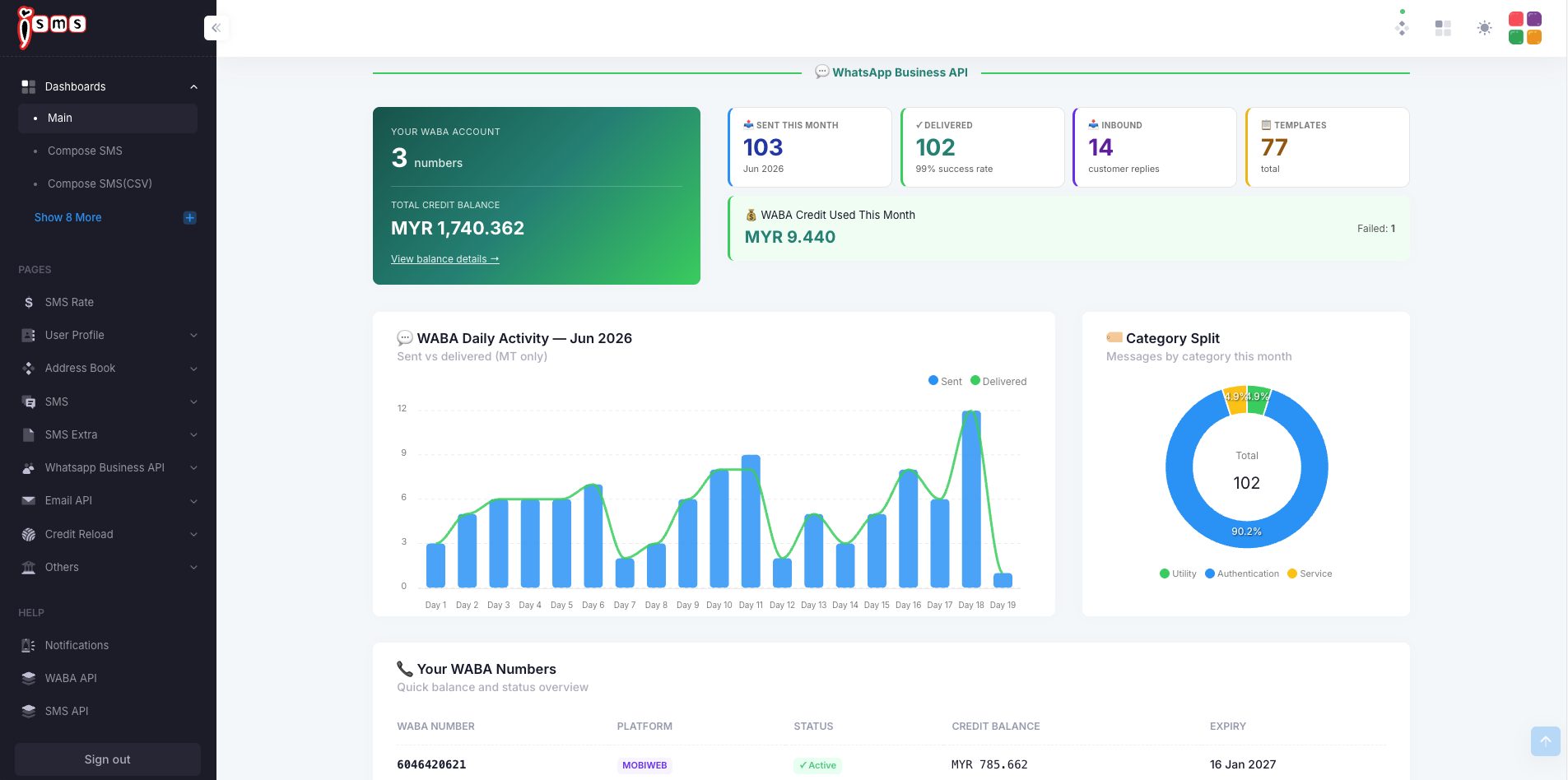
The WABA panel shows your WABA account (how many WhatsApp numbers you have) and Total Credit Balance in MYR, alongside this month’s key figures:
- SentWhatsApp messages sent this month.
- DeliveredMessages successfully delivered, with the success rate.
- InboundReplies received from your customers.
- TemplatesHow many approved message templates you have.
Below that, the WABA Daily Activity chart compares sent vs delivered messages, the Category Split shows the mix of message types, and Your WABA Numbers lists each number with its platform, status, balance, and expiry.
Example · WhatsApp message categories
WhatsApp messages are billed by category. The Category Split on your dashboard shows the month’s mix — this example is mostly Authentication traffic.
From here you’re ready to send your first message — head to Compose SMS.