Main
🏠 Home ℹ️ About Us
WhatsApp
💬 WhatsApp Business API (WABA) 🔐 OTP & TAC via WhatsApp 🤖 WhatsApp + AI Chatbot 🔵 Blue Tick Verification 🤖 AI Chatbot & Auto-Response 🎨 Automation Flow Builder 🔘 Interactive Messages 💡 Automation Use Cases 📱 Business App Coexistence
SMS
📱 One-Way Bulk SMS 🔒 Two-Factor Authentication (2FA) 🌏 Global SMS Coverage ⚡ SMS API
Email & API
✉️ Email Service Overview 🔌 Email SMTP API 🛠 REST API Reference
Queue System
🏢 Queue System Overview 💬 WhatsApp QMS ☁️ Cloud QMS ⚡ Cloud + WhatsApp QMS 📖 Cloud & WhatsApp QMS Guide 🎯 Request Free Demo
Pricing
💰 Full SGD Rate List 🛒 Buy SMS Credits
Support
📩 Contact Us ❓ FAQ 📖 End-User Guide ⚠️ Service Advisory
🔑 Login 📝 Register Free

Chapter 32 · Part 4

WABA Outbound & Inbound Reports

Two reports track your WhatsApp traffic by direction — what you send (Outbound) and what customers send you (Inbound). Each can be filtered by date and exported.

Outbound Report

Under WhatsApp Business API → Outbound Message. It tracks messages you send through the delivery funnel and shows the charge. (Rates here exclude inbound messages.)

The outbound funnel

Sent

Left iSMS to WhatsApp

Delivered

Reached the handset

Read

Opened by the recipient

Each stage is shown as a percentage of outbound, alongside total charge, a daily trend, conversation type, and your top business numbers.

The message details table lists each message with its send / received / read status, charge, and direction.
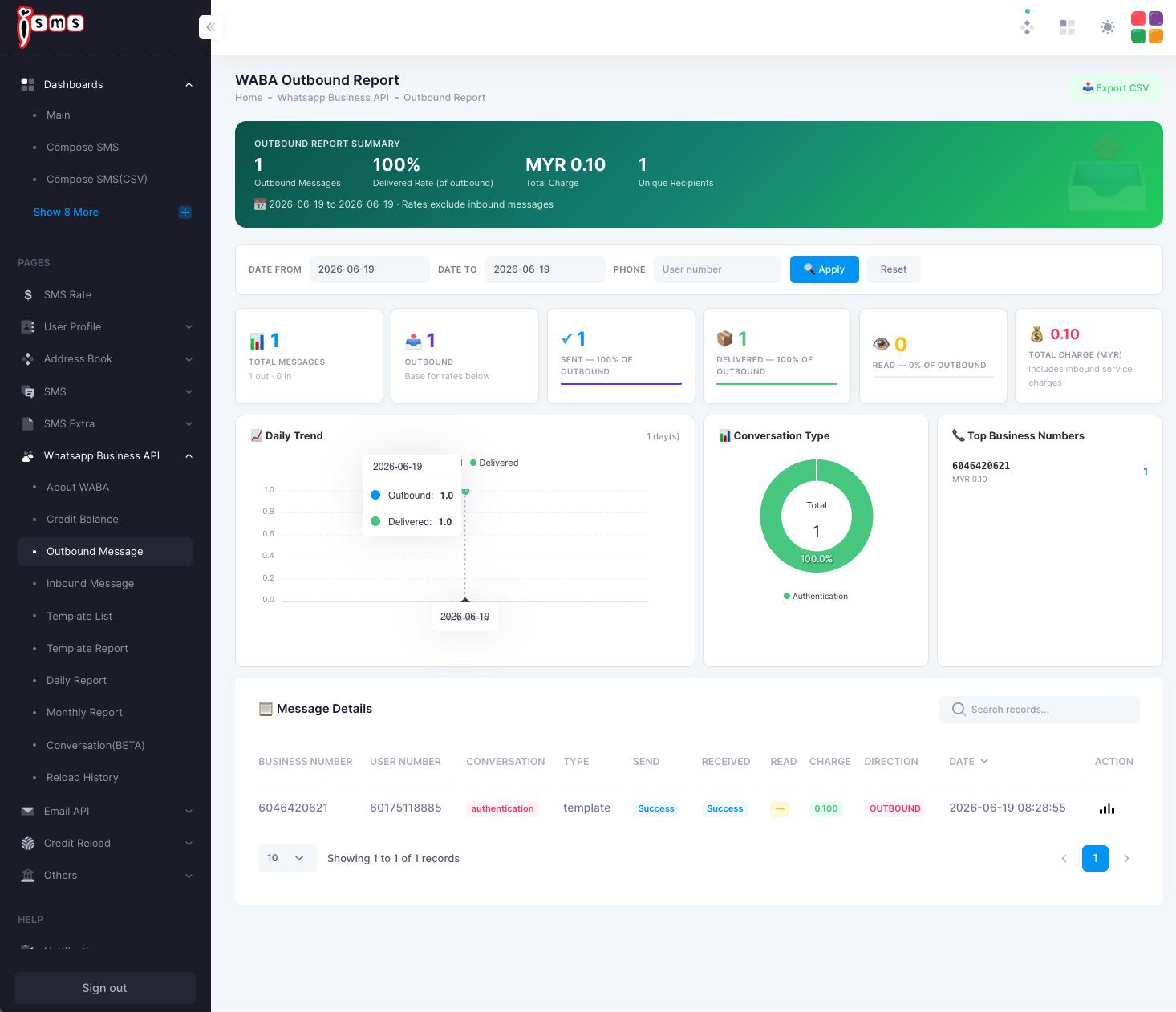
The iSMS WABA Outbound Report: sent/delivered/read cards, daily trend, conversation type donut, top business numbers, and a message details table.
Fig. 1The Outbound Report — delivery funnel, charges, and per-message detail.

Inbound Report

Under WhatsApp Business API → Inbound Message. It summarises what customers send you — messages received, unique senders, and the split between text and media.

  • Messages received & unique sendersVolume and how many distinct people messaged you.
  • Message typesText vs media share of inbound.
  • Active days & peak hoursWhen inbound activity happens.
  • Top numbers & sendersWhich business numbers received most, and your most active senders.
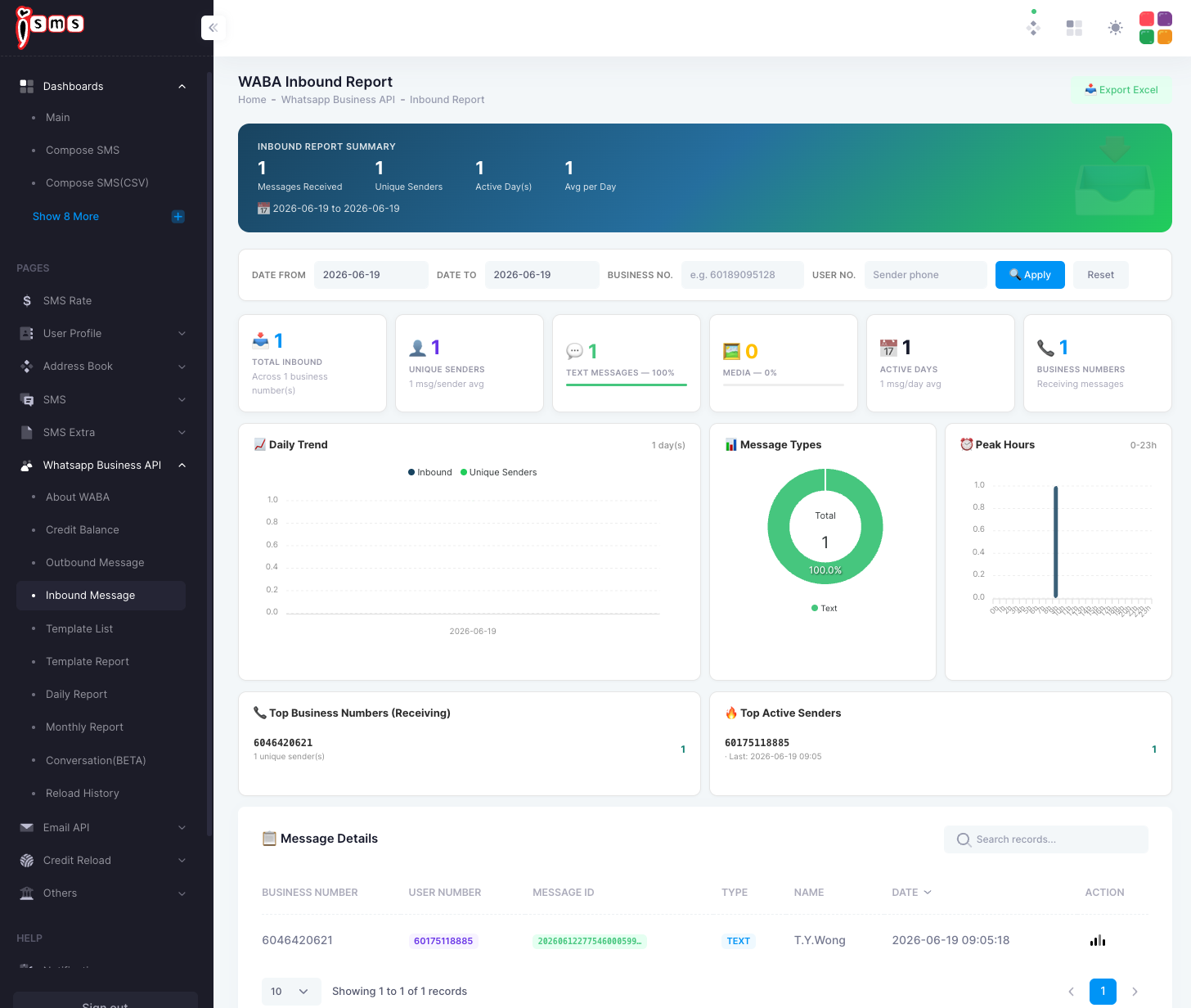
The iSMS WABA Inbound Report: messages received, unique senders, message types donut, peak hours, top business numbers and senders, and a details table.
Fig. 2The Inbound Report — what customers send you, and when.
Delivered and read rates only apply to outbound messages — inbound messages show as received only. For a combined day-by-day or calendar view, see Daily & Monthly Reports.
Need help?
Our team is happy to assist with anything in this guide. Contact us →
💬