Chapter 24 · Part 3
Manage SMS Route
Decide which destination countries your account is allowed to send to. Block the countries you never message — it prevents accidental international sends and keeps your spend predictable.
How routing works
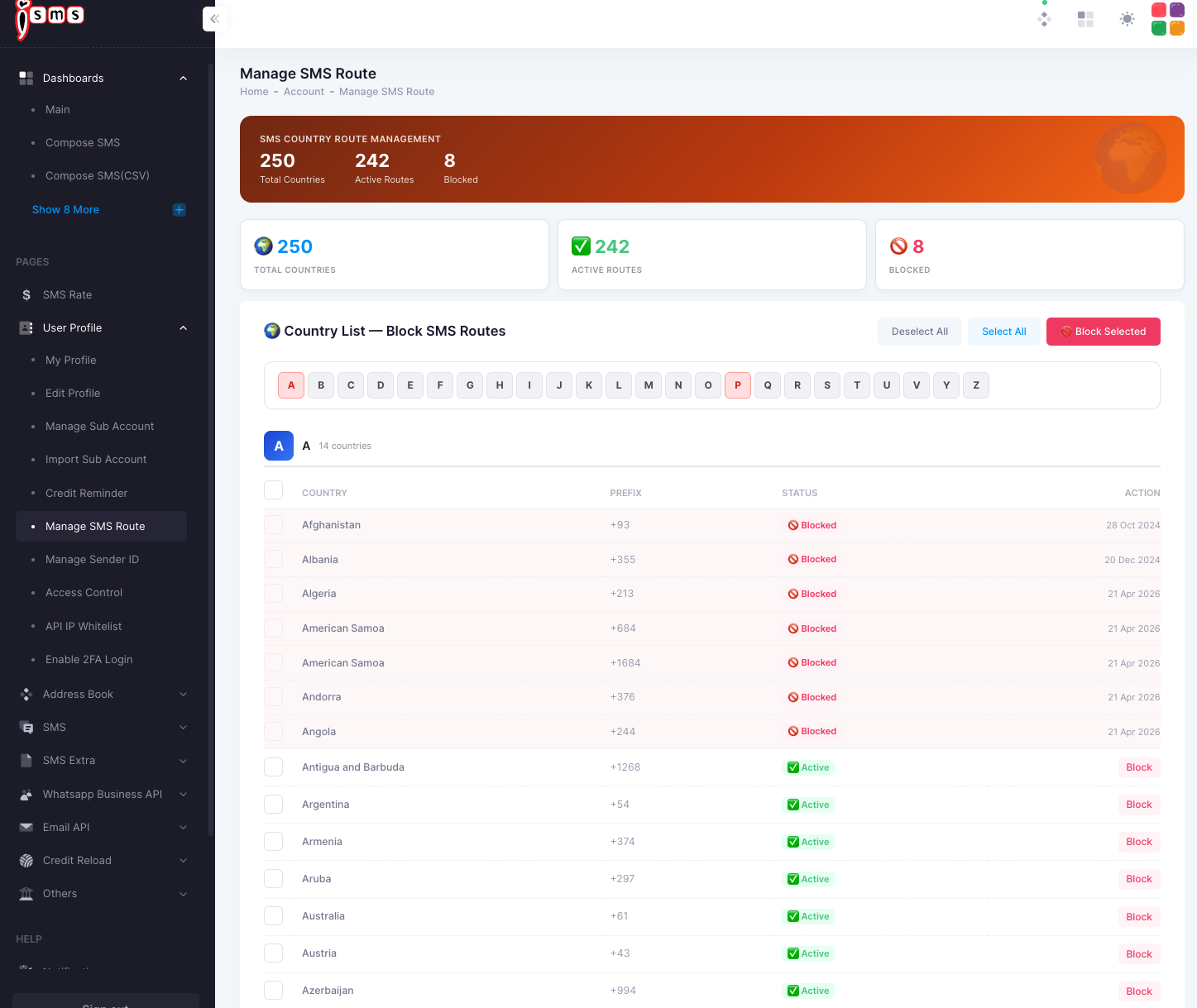
Open User Profile → Manage SMS Route. Every country has a route that’s either Active (your SMS can go there) or Blocked (sends are stopped). The summary shows your totals at a glance.
Total countries
Full list
Active routes
Allowed
Blocked
Stopped
Block or unblock a country
- 1
Find the country
Use the A–Z letter filter to jump to a country. Each row shows its dialling prefix and current status.
- 2
Block a single route
Click Block next to an active country to stop SMS to it. Blocked countries show a red Blocked badge.
- 3
Block several at once
Tick the countries you want (or use Select All), then click Block Selected. Use Deselect All to clear your selection.
Blocking stops all SMS to that country until you re-enable it. If a campaign suddenly shows undelivered messages to one country, check whether its route is blocked here.
Need help?
Our team is happy to assist with anything in this guide. Contact us →