Chapter 37 · Part 4
WABA Template Report
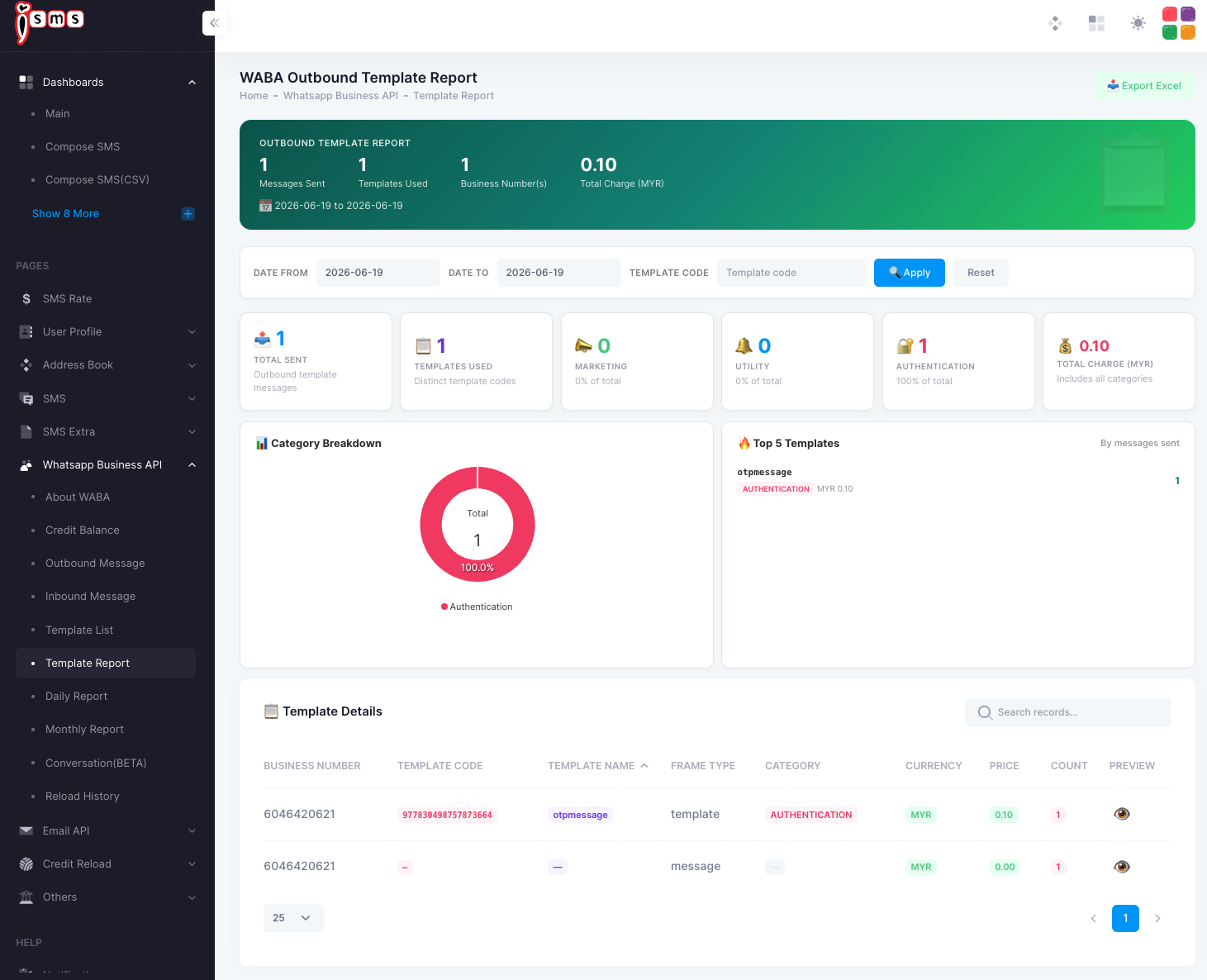
See which templates you’ve actually sent and what they cost — broken down by category. It’s the quickest way to understand your template mix and spend.
What it shows
Open WhatsApp Business API → Template Report. Filter by date or a specific template code, then read your usage at a glance.
- Total sent & templates usedHow many outbound template messages went out, and how many distinct templates.
- Category breakdownThe split across Marketing, Utility, and Authentication, shown as a chart with each category’s share.
- Top templatesYour most-sent templates, by message count.
- Total chargeCombined cost across all categories.
The Template Details table lists each one by business number, template code, name, frame type, category, price, count, and a preview.
Categories are billed differently — reviewing the mix here helps you understand spend. For what each category means, see About WABA; to browse the templates themselves, see WhatsApp Message Templates.
Need help?
Our team is happy to assist with anything in this guide. Contact us →