Chapter 26 · Part 4
About WhatsApp Business API
The WhatsApp Business API (WABA) lets you reach customers on the app they already use every day — for notifications, one-time passcodes, promotions, and two-way support, all from inside iSMS.
Why WhatsApp
With billions of active users and very high open rates, WhatsApp is a powerful channel for both transactional messages and conversations. In iSMS, you manage it under WhatsApp Business API in the left menu.
The four message categories
Every WhatsApp message falls into one of four categories. The first three use pre-approved templates; the last is free-form.
Marketing
Promotions, offers, informational updates, and invitations for customers to respond or act. Template · charged per message.
Utility
Transaction confirmations, updates, and post-purchase notifications tied to an agreed action. Template · charged per message.
Authentication
One-time passcodes (OTP) for account verification, recovery, and integrity checks. Template · charged per message.
Service
Two-way conversations to resolve customer inquiries and give real-time support, inside the 24-hour service window. Free-form · charged per message.
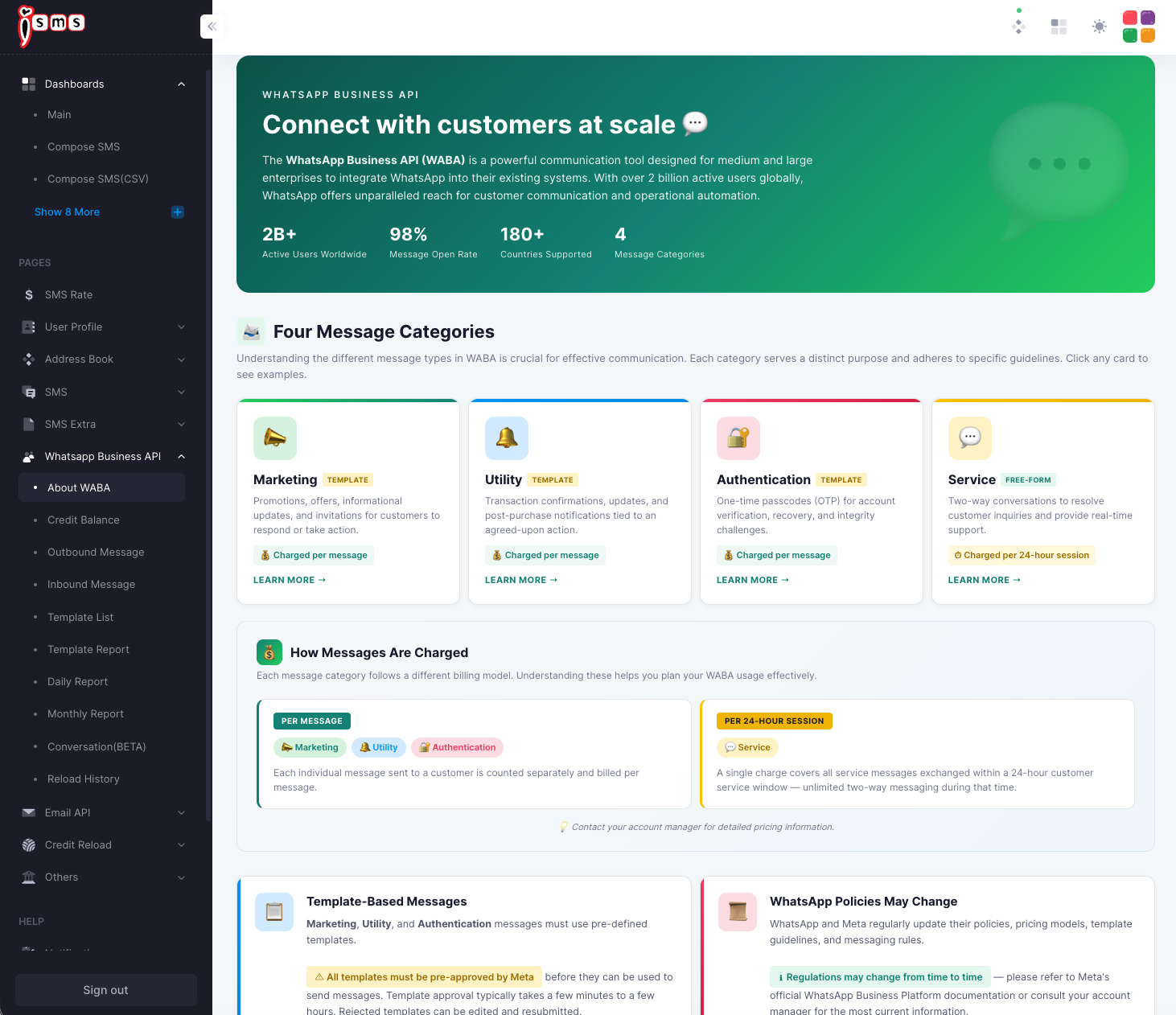
How messages are charged
WhatsApp is billed per message — every message you send is counted and charged individually, across all four categories:
- Marketing, Utility & AuthenticationTemplate messages — each one sent is billed separately.
- ServiceFree-form replies inside the 24-hour service window — now also billed per message (Meta moved Service messages from session-based to per-message charging, in line with template messages).
The 24-hour service window still governs when you can send free-form Service messages (see WhatsApp Conversations) — it’s just no longer a billing unit. Pricing varies by destination country and message category; contact us for a quote.