Main
🏠 Home ℹ️ About Us
WhatsApp
💬 WhatsApp Business API (WABA) 🔐 OTP & TAC via WhatsApp 🤖 WhatsApp + AI Chatbot 🔵 Blue Tick Verification 🤖 AI Chatbot & Auto-Response 🎨 Automation Flow Builder 🔘 Interactive Messages 💡 Automation Use Cases 📱 Business App Coexistence
Messenger
📘 Messenger Overview ⚡ Messenger Features 🚀 How to Get Started 💰 Pricing & Credits ⚙️ Messenger API 📩 Contact Sales / Activate
SMS
📱 One-Way Bulk SMS 🔒 Two-Factor Authentication (2FA) 🌏 Global SMS Coverage ⚡ SMS API
Email & API
✉️ Email Service Overview 🔌 Email SMTP API 🛠 REST API Reference
Queue System
🏢 Queue System Overview 💬 WhatsApp QMS ☁️ Cloud QMS ⚡ Cloud + WhatsApp QMS 📖 Cloud & WhatsApp QMS Guide 🎯 Request Free Demo
Pricing
💰 Full SGD Rate List 🛒 Buy SMS Credits
Support
📩 Contact Us ❓ FAQ 📖 End-User Guide ⚠️ Service Advisory
🔑 Login 📝 Register Free

Chapter 38 · Part 5

Messenger Credit Balance & Reload History

Messenger runs on its own prepaid credit balance, separate from your SMS and WhatsApp balances. This is where you check what each Facebook Page has left — and where every top-up and deduction is recorded.

Your balance at a glance

Open META Messenger → Credit Balance. The header shows your total Messenger credit balance and how many Facebook Pages are registered and active, with summary cards below:

Total pages
Registered
Active pages
Live now
Low balance
At/below threshold
Currencies
In use

Per-Page balance cards

Each Facebook Page gets its own card under Your Facebook Pages, searchable by Page name or ID and filterable by All / Active / Low Balance:

  • BalanceThe Page’s current Messenger credit, in its own currency.
  • Remind atThe low-balance threshold — the Page is flagged under Low Balance when the balance reaches it.
  • BillingPrepaid — outgoing messages deduct from this balance, and sending is blocked when it runs out (it can never go negative).
  • ExpiryWhen the current credit expires.
  • View DetailsOpens the full detail for that Page.
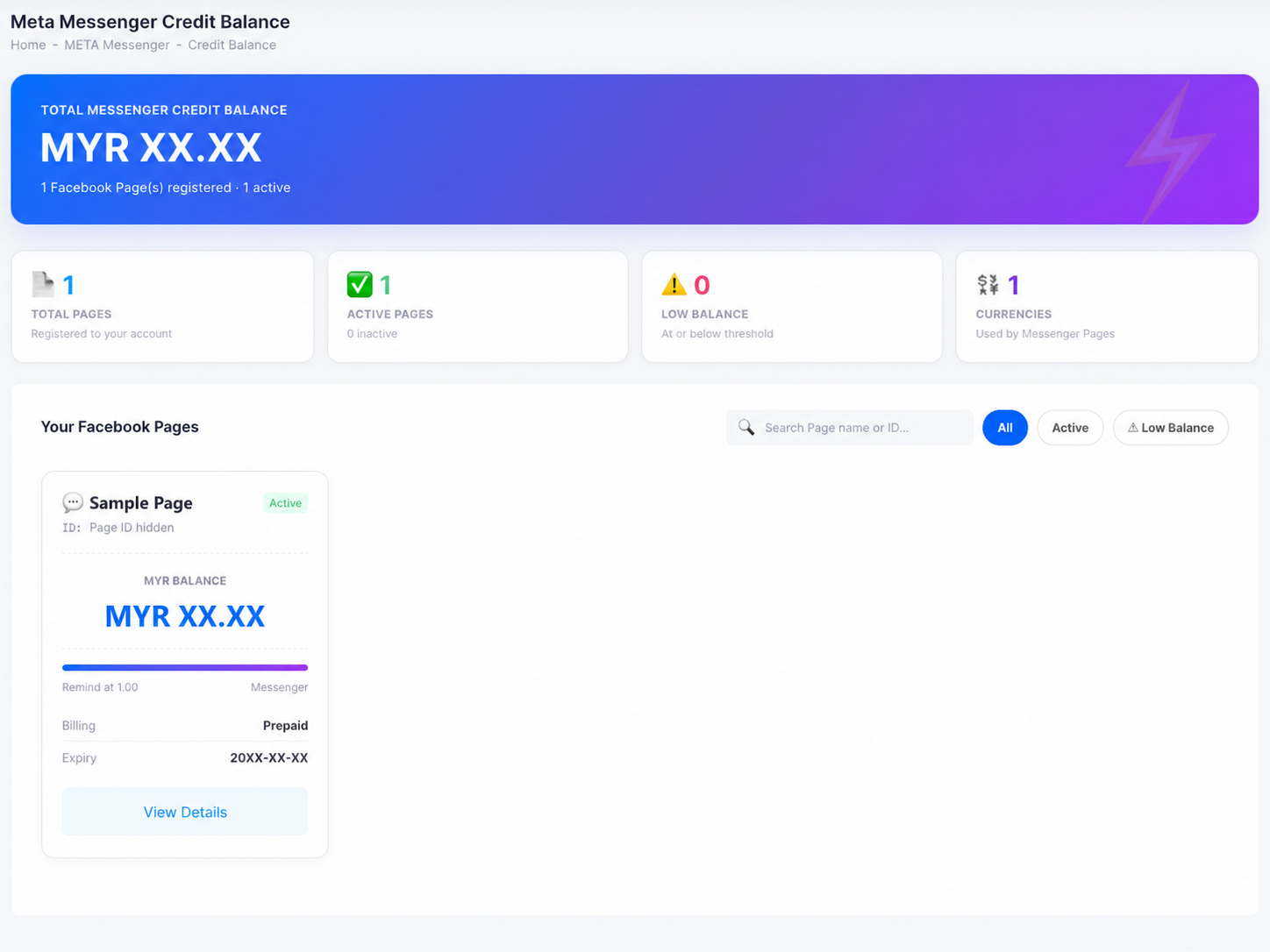
The Meta Messenger Credit Balance page: total balance header, cards for total pages, active pages, low balance, and currencies, and a per-Page card with balance, remind-at threshold, prepaid billing, and expiry.
Fig. 1Credit Balance — the total at the top, one card per Facebook Page below.

Reload history

Open META Messenger → Reload History to see every credit movement. The summary shows total added, total deducted, the net change, and the number of transactions, filterable by Facebook Page, date range, and type.

The Transaction Details table lists each entry with its date and time, the Facebook Page it applied to, a description, the type, the credits added or deducted, and the balance before the transaction — so you can reconcile every reload against your records.
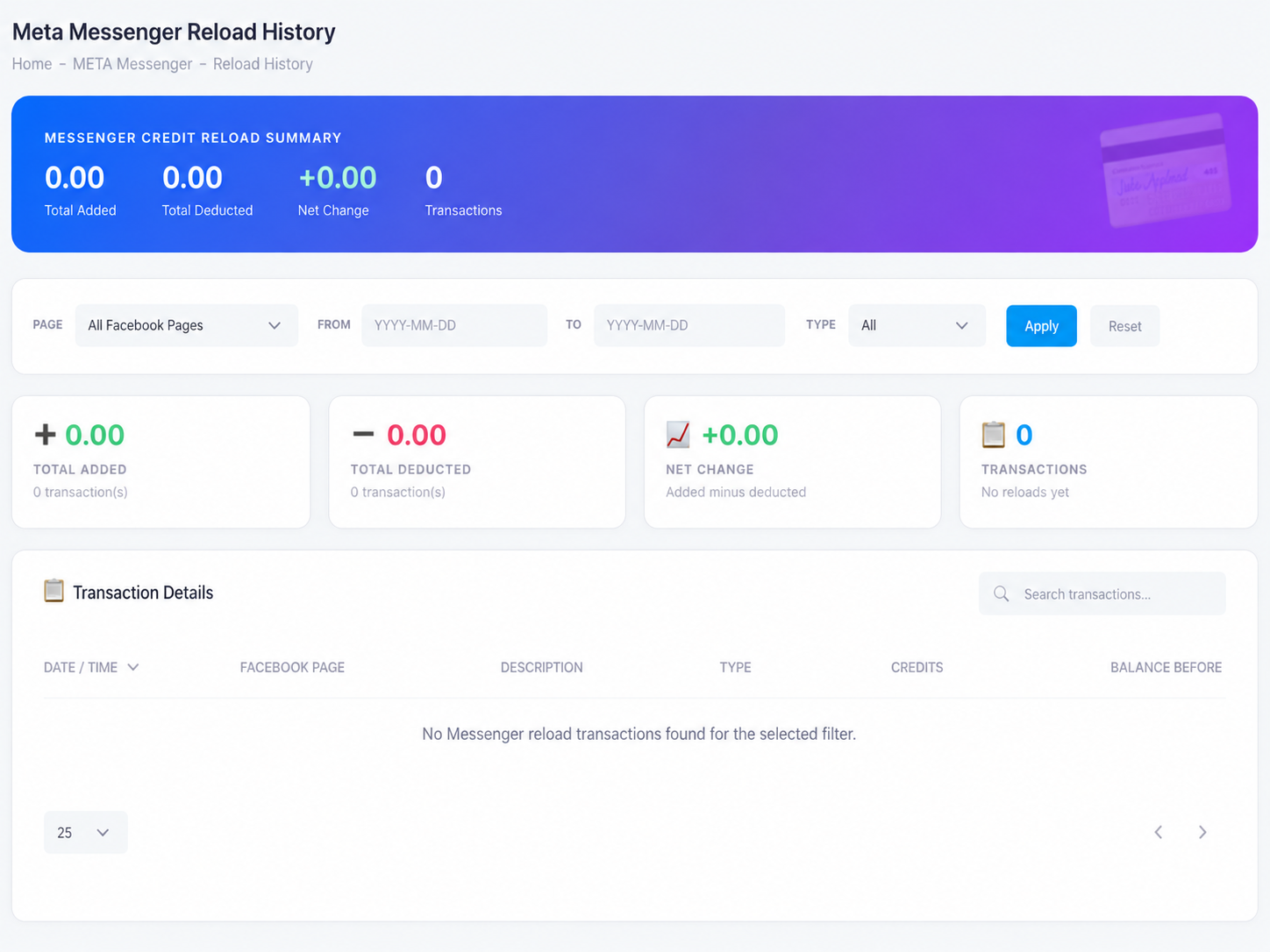
The Meta Messenger Reload History page: totals for added, deducted, net change, and transactions, filters by Page, date, and type, and the transaction details table.
Fig. 2Reload History — every top-up and deduction, with the balance before each.
Keep an eye on the Low Balance filter — when a Page hits its remind-at threshold, top up before it empties, because sending is blocked the moment the balance is insufficient. Contact us to reload.
Need help?
Our team is happy to assist with anything in this guide. Contact us →
💬