Chapter 49 · Part 6
Messenger Daily & Monthly Reports
Step back from individual messages: the Daily Report tracks volume, rates, and charges day by day, and the Monthly Report lays the whole month out on a calendar.
Daily report
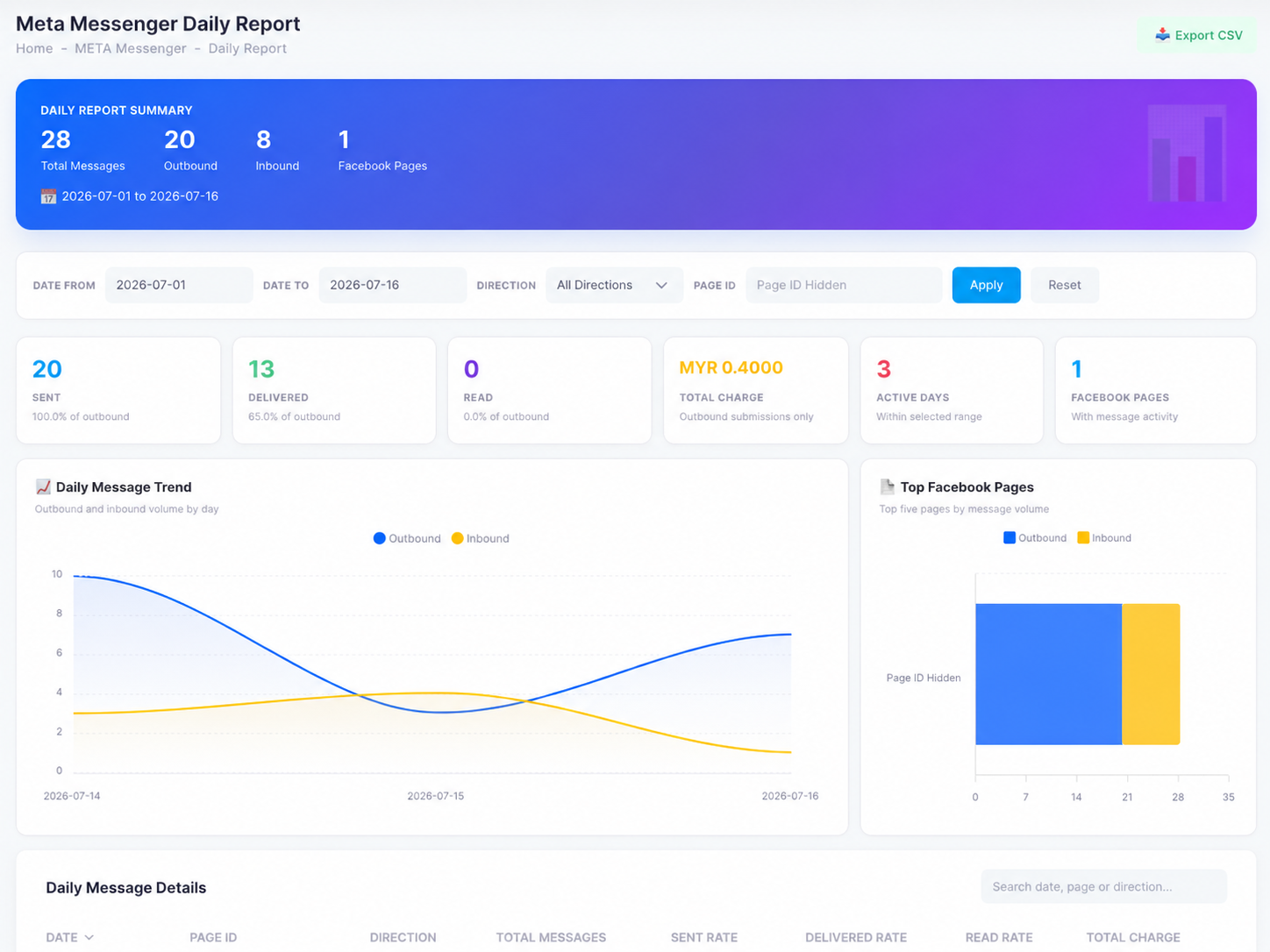
Open META Messenger → Daily Report and set a date range, direction (outbound, inbound, or all), and optionally a Page ID:
- Summary & cardsTotal messages split into outbound and inbound, then sent / delivered / read counts with rates, the total charge (outbound submissions only), active days, and Pages with activity.
- Daily message trendOutbound vs inbound volume by day — spot your busy days and response patterns at a glance.
- Top Facebook PagesYour five busiest Pages by message volume, split by direction.
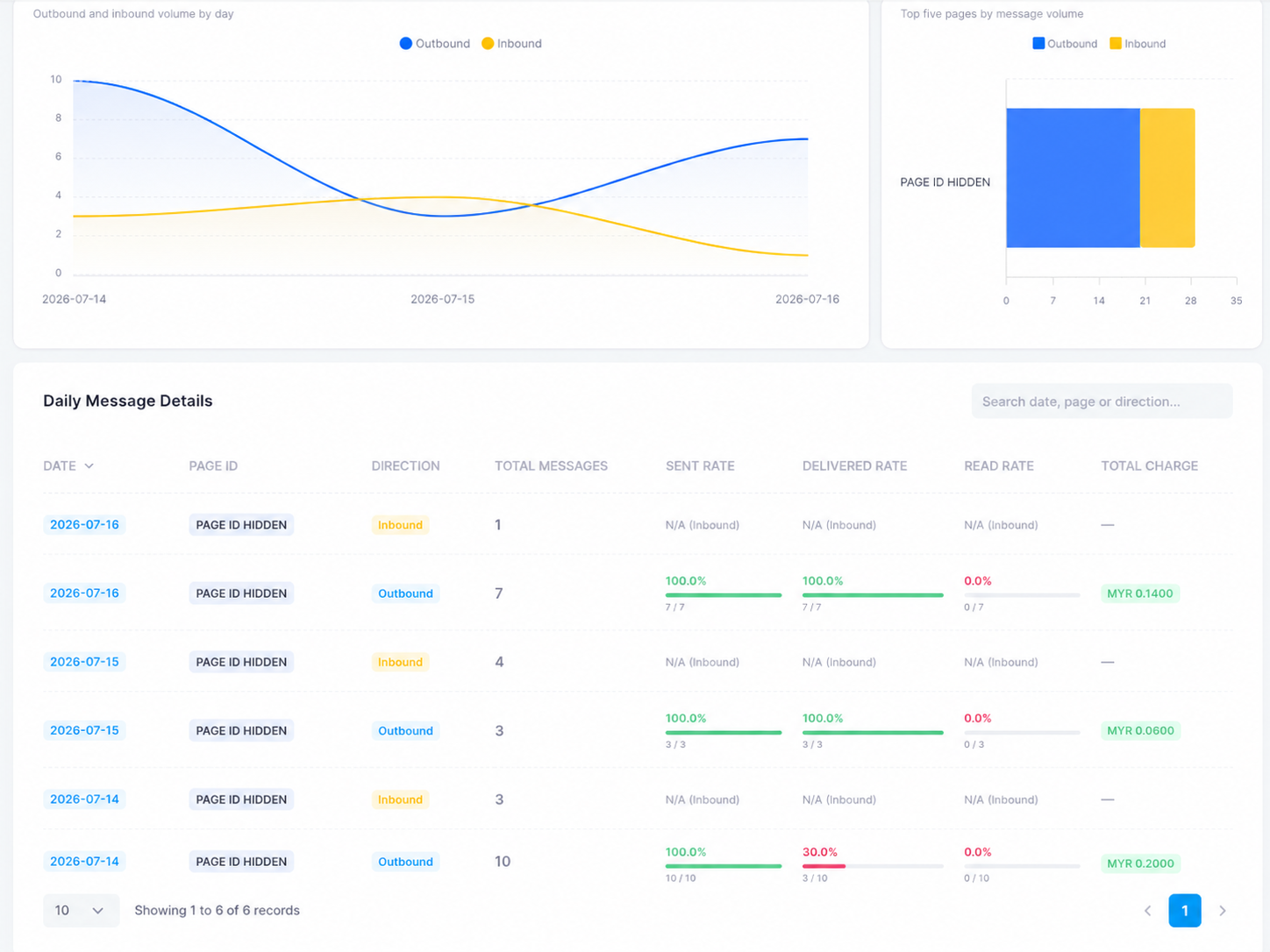
- Daily message detailsOne row per Page per direction per day: total messages, sent rate, delivered rate, read rate, and that day’s charge.
Monthly report
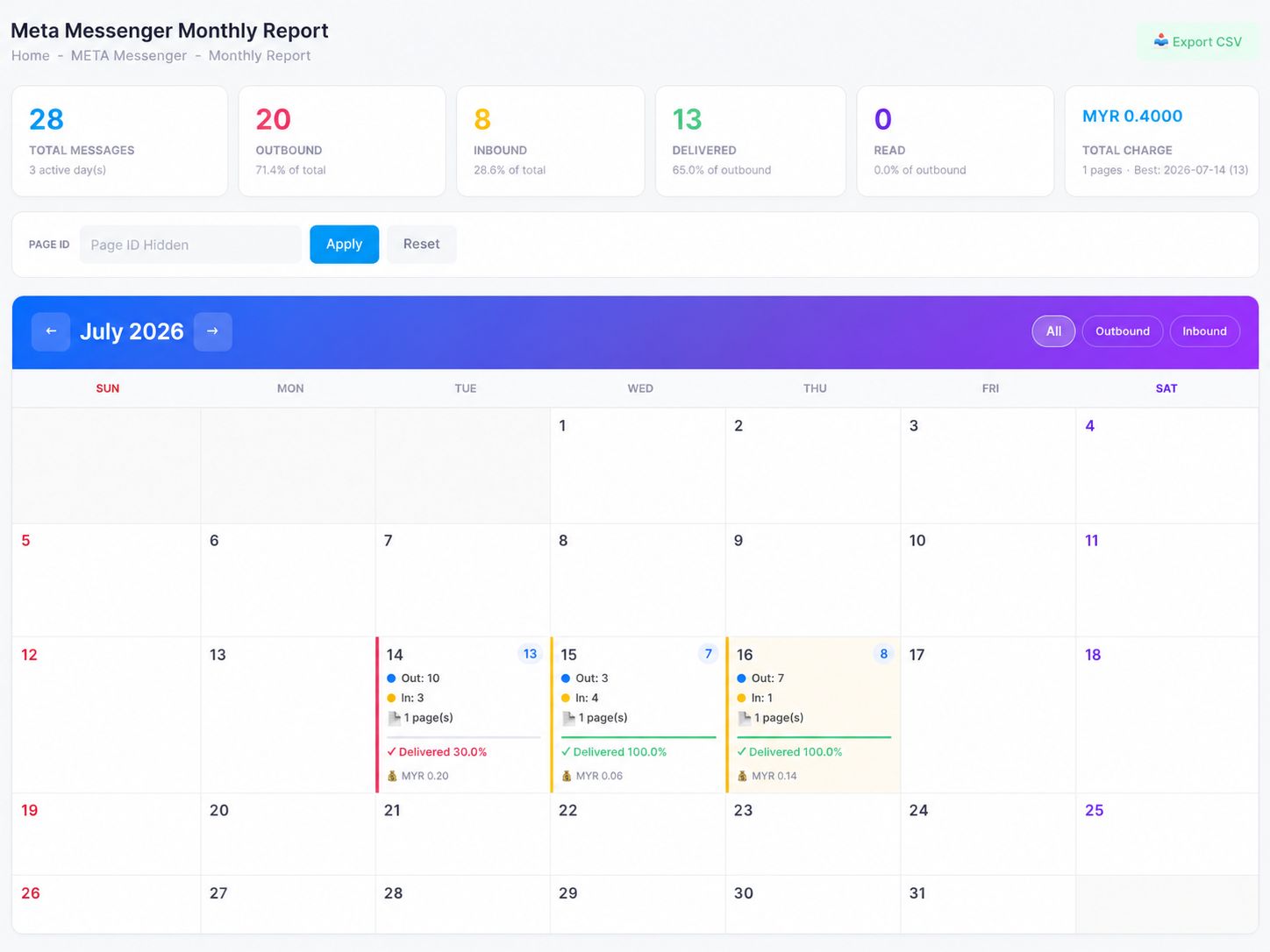
Open META Messenger → Monthly Report for the calendar view. The header cards total the month — messages, outbound and inbound shares, delivered and read counts, and the month’s total charge with your best day.
Each calendar day shows its outbound (Out) and inbound (In) counts, the number of Pages, the delivered rate, and that day’s charge. Use the All / Outbound / Inbound toggle to focus the view, page between months with the arrows, filter to a single Page ID, or Export CSV for records.